Battle Notes · Amazon Ads
How to run an Amazon Ads audit: a 12-point checklist for supplement brands
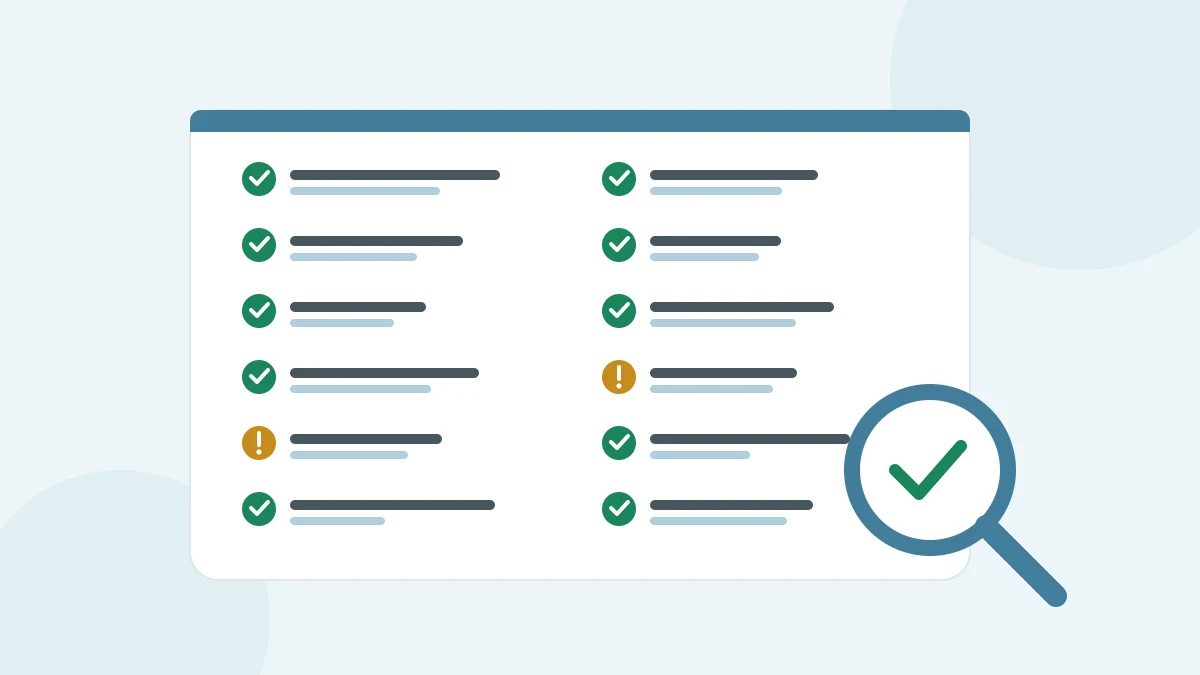
An Amazon Ads audit checks whether your spend reaches shoppers who can actually buy. It confirms that every advertised product can win the Featured Offer, that search terms and match types fit what you sell, and that bids, placements and budgets follow performance rather than habit. Here is a 12-point checklist for supplement brands running Sponsored Products.
What should an Amazon Ads audit cover?
A useful audit covers three layers, in this order: the products you advertise, the traffic your ads buy, and the controls that decide how much you pay for it. Fixing bids before you know an ad can serve wastes the work, so start with eligibility and work down.
| # | Check | Where to look | What good looks like |
|---|---|---|---|
| 1 | Every advertised product is eligible for the Featured Offer | Campaign manager | No ads flagged as ineligible |
| 2 | Advertised products are in stock | Campaign manager, inventory | No campaigns quietly paused by stock-outs |
| 3 | Detail pages are ready for paid traffic | Product detail page | Four or more images, a clear title, concise bullets |
| 4 | Advertised products have reviews | Product detail page | Five or more reviews and a 3.5-star rating or higher |
| 5 | Search terms that spend without selling are found | Search term report | Reviewed and, where it fits, added as negatives |
| 6 | Search terms that convert are kept | Search term report | Targeted directly as keywords |
| 7 | Negatives get time to work | Campaign history | Each negative left in place long enough to judge |
| 8 | Match types are used on purpose | Keyword targeting | Broad and phrase for discovery, exact for proven terms |
| 9 | Campaigns group like products | Campaign structure | Products from one category per campaign |
| 10 | The bidding strategy is a choice, not a default | Campaign settings | Fixed or dynamic bids picked for the campaign’s goal |
| 11 | Placement adjustments match performance | Campaign settings | Top of search, rest of search and product pages set by results |
| 12 | Ad copy stays inside Amazon’s ad policies | Sponsored Brands and display creative | No claims the policies restrict |
The sections below explain how to run each group of checks.
Can every advertised product actually show?
Start here, because an ad that can’t serve can’t be optimized. Amazon Ads is explicit: listings advertised on Sponsored Products must be eligible for the Featured Offer, and “if your product isn’t the Featured Offer or is out of stock, your ad will not display.” Amazon also notes that ads which are not eligible are flagged in the campaign manager, so filter for them before anything else (checks 1 and 2).
Stock matters on its own, too. In Amazon’s guide to improving products for advertising, a product that goes out of stock “will be automatically paused within your campaign.” For supplement brands that ship several sizes or flavors, check every variation you advertise, not just the hero product.
The same guide covers checks 3 and 4: include four or more images, keep bullet points concise, and Amazon recommends advertising products with five or more customer reviews and a rating of 3.5 stars or higher. If a product falls short, fix the page before you buy more traffic for it.
Check this in your account: In the campaign manager, find ads flagged as ineligible and products paused for stock, then add up what their campaigns spent while they couldn’t serve.
Which search terms spend without selling?
The search term report shows “the shopping terms used by customers shopping on Amazon that resulted in at least one click on your ad.” Sort it by spend, then split it two ways:
- Terms with clicks and no orders. These are your candidates for negative keywords (check 5).
- Terms that convert. Target these directly as keywords so you control their bids (check 6).
Supplement searches mix intents. A shopper typing an ingredient name, a benefit or a competitor’s brand is looking for different things, and the report shows which of those your listing actually satisfies. Keep anything you’re unsure about until it has enough clicks to judge.
Amazon’s targeting guide gives a sensible bar for that: evaluate a term’s performance “after it has received at least 20 clicks,” and “let your negative keywords run for two weeks or more, before making any changes to your strategy” (check 7).
Not sure which of your terms are wasting spend? and we'll send you a $-weighted opportunity map.
Are your match types and campaign structure doing their job?
Each match type buys a different kind of traffic. In Amazon’s definitions:
- Broad: “A shopping query can contain the keyword terms in any order.”
- Phrase: “The search terms matched will contain all components of the targeted keyword in the same order.”
- Exact: “The search terms are matched word for word (same words and in the same order) with the targeted keyword.”
A healthy account uses broad and phrase to find new terms and exact to fund the terms that already sell (check 8). If every keyword in an account is broad, nothing is protected; if every keyword is exact, nothing new gets found.
Structure decides how clearly you can read the results. Amazon’s Sponsored Products best practices say to “only include ASINs from the same category in one campaign” (check 9). For a supplement brand, that usually means separating, say, protein from vitamins rather than putting the whole catalog in one campaign.
Are bids, placements and budgets set on purpose?
Check 10 is the bidding strategy. With dynamic bids up and down, Amazon will “increase or decrease your bids by up to 100% for all placements based on performance”. That can be the right choice, but it should be a decision: know which campaigns use it, and why.
Check 11 is placements. Amazon recommends that you “adjust placement bids to balance campaign performance across top of search, rest of search, and product page placements.” Compare cost and conversion by placement before you raise any adjustment.
Budgets come last. Amazon’s advice is that if your campaigns “frequently run out of budget, add to your budget to help keep your ads showing throughout the day.” Before you do, make sure the budget isn’t being spent on the terms you found in check 5.
Check this in your account: Note which campaigns run out of budget and at what time of day, so you know which hours your ads are missing.
What do supplement brands need to check in their ad copy?
Supplements sit close to health, and Amazon Ads lists “pharmaceuticals, health, and beauty products” among the restricted categories in its ad policies quick reference. Amazon runs a moderation process that reviews Sponsored Brands and display ads “before they are published on our site,” so read the policy for your category before you write copy, and keep every claim in your ads consistent with your product detail page (check 12).
Check this in your account: Review any Sponsored Brands or display ads that moderation rejected, and note the reason given before you rewrite the copy.
How often should you repeat the audit?
Amazon suggests that in a new campaign’s first week you “monitor your metrics at least twice a week.” After that, run the eligibility checks (1 and 2) whenever stock or pricing changes, the search term checks (5 to 7) on a regular cadence, and the full checklist each quarter or after any large change to the catalog.
Check this in your account: Agree how often your team will rerun each part of this checklist, and put those dates in the calendar.
Frequently asked questions
What is an Amazon PPC audit?
An Amazon PPC audit is a structured review of your Amazon Ads account. It checks that advertised products can serve, that search terms and match types fit your products, and that bids, placements and budgets follow performance.
Why aren’t my Sponsored Products ads showing?
The most common reasons are eligibility and stock. Amazon Ads states that if your product isn’t the Featured Offer or is out of stock, your ad will not display, and ineligible ads are flagged in the campaign manager.
When should I add a search term as a negative keyword?
Amazon’s targeting guide recommends evaluating a term after it has received at least 20 clicks, and letting negative keywords run for two weeks or more before changing your strategy again.
Summarize this article with AI
Opens the assistant with this question: "Summarize this ShelfRadar article and list the key takeaways for a brand's marketplace and ads team: https://shelfradar.us/blog/amazon-ads-audit-checklist-supplement-brands"