Battle Notes · Amazon Ads
Why your Amazon ads stop when you lose the Buy Box (and what to do)
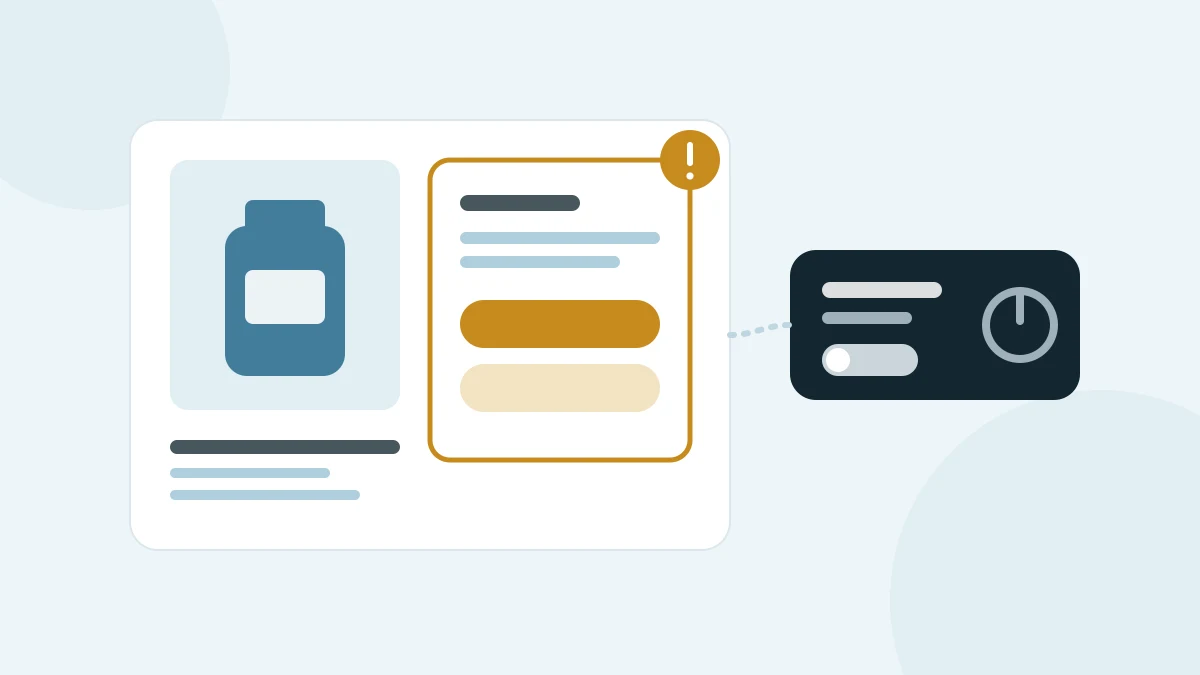
Sponsored Products ads only show while your product is the Featured Offer, the offer Amazon places in the Buy Box. Lose it to another seller, or run out of stock, and your ads stop displaying even though the campaign still looks live. Here is why that happens, how to spot it quickly, and what to fix first.
Why do Sponsored Products ads stop when you lose the Buy Box?
Amazon calls the Buy Box the Featured Offer: in its words, “an automated window that appears at the top right of a product detail page above the Buy Now button.” Sponsored Products ads are tied to it. Amazon Ads states that listings advertised on Sponsored Products must be eligible for the Featured Offer, and that “if your product isn’t the Featured Offer or is out of stock, your ad will not display.”
The logic is simple. A Sponsored Products ad sends a shopper to buy your offer. If the Buy Box shows someone else’s offer, or no offer at all, there is nothing for your ad to sell, so it doesn’t serve.
That makes a lost Buy Box an advertising problem, not just a pricing or operations one. Your campaigns, keywords and budgets can all be right and still deliver nothing for that product.
What makes a product lose the Featured Offer?
Amazon Ads names the two conditions advertisers control most directly: your product “must be in stock and priced competitively in order to become the Featured Offer.” In practice, that points to three situations worth watching:
- Stock runs out. Amazon’s advertising guide says a product that goes out of stock “will be automatically paused within your campaign.”
- Another seller’s offer wins. If other sellers offer the same product, a lower price elsewhere can move the Featured Offer away from you.
- Your own price changes. A price increase, an expiring coupon or a promotion ending can change how competitive your offer is.
Check this in your account: For your top advertised products, look back at when they lost the Featured Offer, and whether stock or another seller’s price caused it.
How can you tell your ads stopped because of the Buy Box?
The signs look like a normal dip unless you check for them directly:
- Ineligible ads are flagged. Amazon notes that ads that are not eligible are flagged in the campaign manager. Check there first.
- One product goes quiet while the rest carry on. If a single advertised product stops getting impressions while others in the same campaign keep serving, eligibility is a likelier cause than bids or budget.
- The campaign spends on the products that can still serve. The campaign’s budget can go to whatever in it is still eligible, so total spend may barely move.
Look at the product detail page as a shopper would. If someone else’s offer is in the Buy Box, or there is no Buy Box at all, you have your answer.
Want to know how often this happens on your account? and we'll send you a $-weighted opportunity map.
What should you do in the first hour?
Work through this in order. The first two rows tell you which situation you’re in; the rest fix it.
| Step | Check | Why it matters | What to do |
|---|---|---|---|
| 1 | Campaign manager flags | Ineligible ads are flagged there | Note every flagged product |
| 2 | Stock for each flagged product | Out-of-stock products are paused | Restock, or plan around the gap |
| 3 | Who holds the Featured Offer | Tells you if it’s price or availability | Compare your offer with the one that’s winning |
| 4 | Your recent price, coupon and promotion changes | A change on your side can lose it | Reverse or adjust the change if it caused the loss |
| 5 | Campaigns that mix the lost product with others | Their budget shifts to what can still serve | Check that the shift is spend you want |
| 6 | Alerts for next time | The loss can happen at any hour | Set up a check on stock and Featured Offer status |
Should you change bids or budgets while you’re out of the Buy Box?
Usually not. Raising bids doesn’t bring an ineligible ad back: Amazon won’t display it, however high the bid. Bid changes made during the gap also distort your history: when the product is eligible again, it returns to bids set in reaction to an outage rather than to performance.
Watch dynamic bidding in particular. With dynamic bids up and down, Amazon will “increase or decrease your bids by up to 100% for all placements based on performance”. That applies to the products that are still serving, which are now taking the campaign’s budget.
Budget is the one lever worth checking. If the lost product shares a campaign with others, the campaign’s daily budget can flow to those products instead. Decide whether that’s spend you want, or whether to hold it until the product is back.
Check this in your account: Pick a past Featured Offer loss and compare cost per order on the campaign’s other products before and during it.
How do you stop it happening again?
Prevention is mostly monitoring. The two conditions Amazon names, stock and price, both change outside the ads console, so the people running ads need to see them as they change:
- Watch stock against your ad schedule. Plan replenishment so your best-selling advertised products don’t run out during their strongest days.
- Watch the Featured Offer, not just your price. Your price can stay the same while another seller’s changes.
- Connect the signals to the campaigns. When a product loses the Featured Offer, know which campaigns it sits in and what happens to their budget.
This is what ShelfRadar’s Amazon ads optimization is built around: real-time signals on inventory, deals and coupons, time performance, Buy Box and organic rank feed the decisions about where your budget goes.
Check this in your account: Write down who notices a lost Featured Offer today, how they find out, and how long that usually takes.
Frequently asked questions
Do Sponsored Products ads show if I don’t have the Buy Box?
No. Amazon Ads states that listings advertised on Sponsored Products must be eligible for the Featured Offer, and that if your product isn’t the Featured Offer or is out of stock, your ad will not display.
How do I know if my ads stopped because I lost the Buy Box?
Check the campaign manager, where Amazon flags ads that are not eligible. Then check the product detail page: if another seller’s offer is in the Buy Box, or there is none, eligibility is the cause.
Should I raise my bids after losing the Buy Box?
Raising bids won’t bring back an ad that isn’t eligible to serve. Restore stock or a competitive offer first, and check where the campaign’s budget is going in the meantime.
Summarize this article with AI
Opens the assistant with this question: "Summarize this ShelfRadar article and list the key takeaways for a brand's marketplace and ads team: https://shelfradar.us/blog/amazon-ads-stop-when-you-lose-the-buy-box"